Showing posts with label Web Interactions. Show all posts

Tuesday, November 17, 2009

Levels of Website Interactivity

Whenever I mention website interactivity, I often see people around me wonder what is website interactivity? Making a website interesting and engaging, interests users and causes them to spend more time on the site. It’s all about enriching user experience. Any website, that presents content in an interactive way will tend to hold user attention. However, over the years, I have noticed the many levels of website interactivity. These levels may have been known to us but we have probably never noticed the gradual change in website design.

I have tried to categorize the interactivities in various levels and cited them with few examples.

Level 1: Using Basic HTML effects


This was the basics of the phenomenal change that we see today. At level 1, I aptly put in examples of websites that include the basic things such as color change for roll over or tool tips that appear for different sections. Websites used revolving text, banners that moved around; images that had some effect such as blinking images, pop ups to share additional information etc. The example given above shows a neat designed popup to show additional information once the cursor hovers above a particular image

Level 2: Displaying Information Through Creative Ways


The websites that belong to the level 2 category had some more amount of interactivity. By now, websites had some new ways to improve presentation of the information. New Technologies like AJAX are used creatively to attract users. For example, by holding the cursor over the heading, an area can be enlarged based on user action. This presents more information on the page without diverting the user to another page. Also, this keeps a user focused on the required information instead of displaying complete information in one go. The example above shows how certain headings are highlighted and linked in grey so that users can access information easily whilst browsing the site.

Level 3: Flash Animations and Videos


Level 3 websites witnessed a further change. Web designers used flash animations and photo sliders to present content in an engaging way. This brought about a livelier change in websites. In the above example, the website deals with accessories and clothing for those who love to skate or surf. There is a very ingenious use of a skating video on the website with the use of flash to engage users.

Level 4: Interactions Based on User Inputs

By now, websites had a higher level of interactivity. As compared to flash interactions in the previous levels which displayed the information, the interactivities now invited users to click for interesting inputs. In the above example, the website ensures that users interact and provide inputs related to the product ensuring users are kept on the page. Interesting surveys about coffee preferences support the subject making the website a success with users.

Level 5: 3D Interactivity


This level is about the highest levels of interactivity for website design. Here, the focus is on the use of 3Dimensional interactivities for websites. The incorporation of 3Dimensional elements to present content has seen many creative forms. In the example above, there is a use of 3Dimensional forms to present the matter. The website is built upon the concept of implementing the power of visuals! Apart from this, websites that use 3D cubes, panning cards, 3D flip books, interactive site maps etc, all belong to this level 5.

I am sure these levels are the stepping stone for website interactivity. Web designers have more scope in terms of creativity and I am certainly looking forward to many such creative canvasses!

Tuesday, November 3, 2009

Target View Size: Mistaken Identity!


Sometimes I'm confused by what I think is really obvious. But what I think is really obvious obviously isn't obvious...

- Michael Stipe

You might be thinking deeply about this statement or might be…well, plain confused. It does happen that the obvious is not actually obvious! There should be no confusion about this statement. As I know that everyone often fails to see the obvious in life.

These words have flowed from my mind for a reason. It was just another sunny day and I read yet another mail that brought with it the same confusion. No, I am no agony aunt out here; I meant it was related to the product - Raptivity Web Expert. Similar kinds of mails over a couple of days prompted me to put my thoughts into words. The common thread was all about an option provided in Raptivity Web Expert. I am talking about ‘Target View Size’.

The Target View Size panel is used to view the interactivity in the required height and width in pixels. When a user makes a change in either of the two, the other is calculated automatically. This is particularly useful to preview the interactivity in a given size. This does not affect the actual size of the interactivity output.

If you require the interactivity to fit into a defined space on your web page, you can make use of this option to preview the interactivity. The Target View Size panel helps you to view how the interactivity will appear in a given size. As correctly labeled, it is “Target View Size” and not “Target Size. The difference in both is that the former is meant only for preview and the latter is about a change in the actual size.

A simple option for a solution…but then, not all things can be really simple! At our end, we will definitely try to make things easier for you! In the meantime, suggestions are welcome…

Tuesday, September 22, 2009

Presentation is the Key!

Have you ever wondered why you have purchased that particular outfit from a specific branded store? I am sure it happens to all of us that we remain loyal to certain brands, sometimes not only due to the product quality but other factors attached to it. Apart from the product quality, one more factor that captures our attention lies in the way the product is packaged and presented to us.

Reflect upon simple things such as why the name Levis springs up to the mind when you think of denims. This brand name has been leading for years. There is a strong strategy that makes these names the most sought-after in the market.

Presentation is the keyword when it comes to the promotion of any product. The presentation extends not only to the way the advertising campaigns are planned; even the minutest details are planned with perfection.

A big brand or one that is trying to capture a new audience should always remember that the way an idea or message is presented can make a huge difference. This planning extends even to the online media.

A website can be used in many ways to capture loyal users. For this, it is required a website attracts attention and engages the prospective consumers. It should be designed in such a way that ensures the consumer is attracted to view the website in turn learning more about the company or product. A consumer should feel the pleasure while visiting the website.

A concept such as a Flip Book can be used to make a website look stunning! A Flip Book helps to present information, engaging the user at the same time!

View these examples to see how effectively an idea was conveyed to the user in an interactive manner!


A website designed in the form of Flip book to engage a user.
http://www.datafisher.com/en/

View a product demo of Nokia mobiles in the form of Flip Book
http://www.clockworxdesign.com/website_examples/bespoke/nokia/

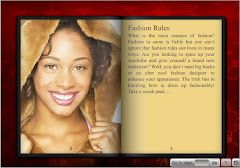
This fashion Flip Book gives important tips in a very unique and engaging way!


See how a website related to beauty and grooming can use a Flip Book in a very creative way!


Scenarios to use Flip book are enormous. Wear your creativity hat and start thinking how and where can YOU use this flip book!

It’s not always that one has to spend hours in programming to create such Flip Books and designs. Such a Flip Book can also be created with ease with the use of Raptivity Web Expert. Check out the Free Trial to know more!

Tuesday, July 28, 2009

What’s the Big Deal about Interactivity? Plenty actually…!


The other day, when someone casually wondered about what are the essential components of a well-designed web site, it set many of us thinking as to how many people really think before they design! Designing a web site is not about finding the most creative elements; it is about providing easy access to the required information to the user and meeting the objectives of the web site owner.

A web site does not increase in its popularity overnight just by sheer luck. It does not follow the protocol “if you build, they will come”. A web site has to ensure it offers information in an easy to access and attractive way to find loyal users who find value in returning back to the site. A web site owner may think of different strategies to grab user attention. Adding freebies or contests, or attempts to make the page visually interesting are some of the options used.

However, what very few people realize is the necessity and importance of the usage of interactivity on web pages. Interactivity is not about adding a form or a button on a web page where people can click. Such kind of basic elements such as radio buttons and tool tips are web interfaces. Interactivity is the next step in the evolution of web interfaces. It is much more engaging with a complete experience in it. With the use of interactivity, users engage better with the web site content and hence stay longer on the page. Few examples of interactivities are a 3D Flip Book or a Poll which causes users to interact with the page wherein the page in turn, responds to the inputs of the user.

Based on this web designers would think that planning and creation of such interactivity involves programming which may be time consuming. It may not always be feasible to use interactivity due to the time factor involved in its creation.

However, with Rapid Interactivity, one can create and use interactivities into web pages very easily. Rapid interactivity is a new paradigm, with the help of which web designers and developers can add interactivity to web sites in minutes without programming.

An apt example for Interactivity would be a 3 Dimensional Flip Book. Users can actually feel the pleasure of flipping a book on a web page. This creates a better visual presentation for showcasing products or to explain any concept. Such an interactive Flip Book can now be created within minutes through easy customization.

Deep and meaningful interactions when added to web pages are like a value-addition to web sites. Interactive ways of communicating a message will ensure that the users who visit a web site will not only be engaged and return back sooner, they will even recommend it to others. It’s all about simplifying issues…!

Tuesday, July 14, 2009

Bridging the Gap between Technicality and Design


When it comes to technicalities and design, there is always a tussle between the two. Somehow, even if both the facets can go hand-in-hand with each other, it may be difficult to get both departments see eye-to-eye at times.


This is something I had witnessed in a company that my friend had begun few years back. There was a constant need to improvise the design of the web site. The tough task was trying to convince both the departments to work with perfect co-ordination. While one supported a creative web design layout, the other grumbled a lot about the need to create fast loading pages and the time required for the development of such interactive pages. Here, I need not describe in detail about the web site owner and how his nerves were frazzled with what was going on in the company!


The main problem faced by this friend, (I can safely reveal his name - Mark), was the need to create a web site that was very attractive in terms of the design elements that could attract and engage users. A large amount of time was spent on the conceptualization of the main theme for the web site. This was followed by innumerable design changes and clashes with the developers who are on the lookout to create web sites with very few technical glitches! Well, one can’t ignore the fact that both are right in their own way!


While Mark hoped for a solution, I could only feel sorry for his plight! I am sure many of you are facing similar problems on the professional life and looking out for a simple solution. Surely there is a solution…!


Imagine if you could add a 3Dimensional interaction to a web page or showcase your product catalogue through a 3D flipbook! I know the first reaction to this would be that it will take plenty of time for creation. However, this may not always be true!


It’s no secret that Raptivity Web Expert can be used to make your web sites more interactive within minutes! .You can take your pick from various interactivities like a 3Dimensional Flip book or 3Dimensional cube. You can even try Panning Cards or opt for the Guided Tour. All these interactions can be customized easily to suit your requirements sans programming! As a web designer, you can choose from the set of interactivities that best suit your product display. All you need to do is decide upon the interaction and customize it with images, text matter and audio as per your requirement. Easy enough for a creative web site that meets your needs!


A web site packed with creativity and with minimum development is now a reality!

Wednesday, July 8, 2009

How to Bring Your Web Pages Alive In Minutes: A Practical Guide

Last week, we read how Raptivity Web Expert can be used to make a staid travel web site look really interesting and interactive. Many people were curious to know how to create such an interaction! Hence, I have compiled quick steps for all users to know how easy it is to create such interactions within minutes!


Let us see how Panning Card interaction can be customized for a Web Site


1) Once you install Raptivity Web Expert, open it and click on ‘New Interactivity’.


2) This will open up a new window displaying various interactions. Select the Panning Cards interaction.

3) Once selected, a wizard opens up to customize the interaction such as specifying the number of cards you want to use, title of the interaction etc. Fill in the required details or simply click on Next.

4) Once done, you are ready to customize the details of the interaction. Enter the required content in the form of text, images and audio.

5) To customize a card you can do the following things:

Select the image to be displayed on the card. Then add the text that gives more information about the image. You can also attach an audio file to be played when a user selects this card.

6) Once you have entered information for all cards, save the interactivity. Then publish it to create a SWF file. Your Panning Card is ready to be inserted into your web site. Now you can simply add this SWF file to your web page through an embed tag.

Watch your web site come alive to grab attention of users!

Tuesday, June 23, 2009

It’s All About The Eye Candy!


Design is part of our lives in every way. Art and design is perceived in different ways by different groups of people. While some try to bring about a sense of design in the way they dress, others utilize art in their professional lives. Colors, design, graphics, layouts….we cannot deny that it forms a part of our lives!

So, does design influence the way we perceive things? Definitely so! Entrepreneurs spend generously on advertising campaigns to attract people. There may be similar products available in the market, but what is it that attracts you to purchase one out of the many others? The way a product is presented before you surely holds significance. The color blue tends to soothe us while tones in beige bring about a feeling of warmth.

I am sure you must have browsed different types of web sites and noticed while some attract, others do not even make an impression! Web sites that sell the same kind of products may not always induce the same kind of reaction from users. Presentation is the most important keyword out here. The aim is to be seen and heard from the clutter!

A common way to attract user attention is to add interesting graphical elements. However, it may not always give you the required end results. These elements help to attract users but may not help in the revenue for the web site. You need a way by which people spend more time on the web site and tend to come back again, sooner! Interactivity is the way which would help to attract users and engage better with the web site. An example of interactivity would be a 3D Flip book to showcase your product catalogue. The user gets an experience of actually flipping through the pages of the virtual book of the product catalogue. Thus, it would increase the time a user spends on the web site along with knowing about the various products being offered by the company through the 3D flipbook! This interactivity helps you achieve both your business requirements easily!

Raptivity Web Expert helps you add many such interactivities to your web site within a matter of minutes. Take your pick from interactivities such as Panning Cards or a 3 Dimensional cube that brings about a greater impact to the web site. Present your message in an interactive way.

The use of Raptivity Web Expert will surely change the way you present your ideas and messages through a web site. Adding interactions could have never been this easy! Curious? Click here to see some exciting interactive web site samples!

Wednesday, June 3, 2009

Bring Your Web Pages Alive Through Interactivity!

Adding interactivity to a web site has not always been as easy as it may sound. How many times have you tried to rack your brains trying to come up with easy solutions to make your web site appear as attractive as possible? After all, a web site holds importance for a business in many ways. A web site represents the company or business and therefore, it should speak volumes about the product or service.


The current concern for web site owners is not only about making a web site look appealing, it is also about generating enough traffic on the web site. The web site should be such that users would want to return to it again and again along with bringing referral traffic. Besides, it should even cause them to engage better with the web site.


So, how does one get users to stay longer on a web site? What will make them engage better and cause them to return back to the web site? Usually web designers/developers spend a lot of time trying to add interactivity to a web site. This involves complex programming which may take more effort and time than one can spare for this activity! At times like this, I am sure you would ask, “Is there an easier solution!?!!”


Sure there is! Raptivity Web Expert has all the answers to problems like these. Raptivity Web Expert helps to add enriching interactions to a web site with great ease! It contains a pre-built library of meaningful interactions that can be added conveniently to a web page! These interactions help to lift the overall experience of a web site and causes users to engage better and even return to the web site!


This does not mean that you need to spend hours on coding or programming for the interactions. With Raptivity Web Expert, you can simply customize complex interactions within minutes! Create interactions like 3D Flip book, 3D Cube, Panning Cards and many more such complex interactions by simply customizing them! Surprising isn’t it! The end result - an interactive web site created without any hassles! Leave it all up to Raptivity Web Expert.


So, when it comes to creating exciting interactions that can be added quickly and easily to web sites, look no further beyond Raptivity Web Expert. Visit our web site at http://www.raptivity.com/webexpert/index.html

Sunday, May 17, 2009

Welcome to Raptivity Web Expert

Raptivity Web Expert helps you create deep and meaningful interactions quickly and easily.

With Raptivity Web Expert, you can create interactivity rapidly and add it conveniently to your web pages, bringing them alive. With interactivity, you can get users to stay longer, engage better and return sooner to your websites.


Download Raptivity Web Expert Free Trial

With Raptivity Web Expert, you get:

  • Pre-built library of most commonly used interactions on web pages
  • Easy customization of interactivity without programming
  • Easily embeddable interactivity output in the form of a single Flash file
To know more about Raptivity Web Expert, visit http://www.raptivity.com/webexpert/